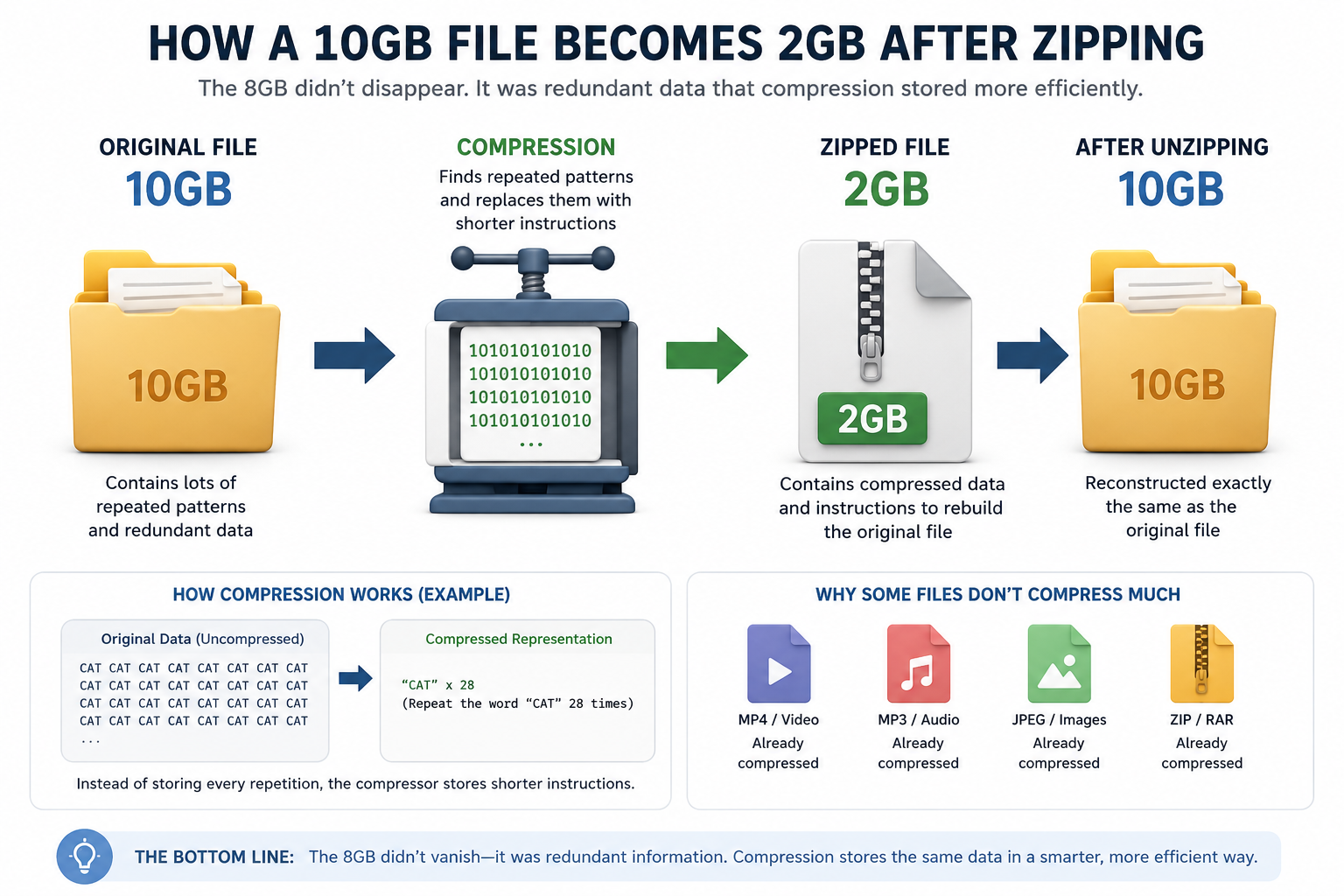
How Does a 10GB File Become 2GB After Zipping? Where Did the Other 8GB Go?
Have you ever compressed a large file and wondered how a 10GB folder suddenly becomes just 2GB? It can feel like magic. After all, where did the other 8GB go?
The short answer is: it didn’t disappear.
Understanding File Compression
When you create a ZIP file, special compression algorithms analyze the data and look for patterns, repetitions, and unnecessary duplication. Instead of storing the same information repeatedly, the ZIP file stores a much shorter description of that information.
For example, imagine a document containing the word “Hello” one million times.
Instead of storing:
Hello Hello Hello Hello Hello…
the compression software can store something similar to:
“Repeat the word ‘Hello’ one million times.”
Both contain the same information, but the second version requires much less storage space.
Why Some Files Compress So Well
Many types of files contain a lot of repetitive data, including:
- Text documents
- Source code
- Log files
- CSV and database exports
- Uncompressed images
- Large datasets
Because these files contain repeated patterns, compression software can significantly reduce their size.
A 10GB text-based dataset might compress down to 2GB or even less.
Where Does the Missing 8GB Go?
The missing 8GB is simply replaced by instructions.
The ZIP file contains:
- Compressed data
- Information needed to reconstruct the original file
When you unzip the file, the software follows those instructions and recreates the original 10GB file exactly as it was before compression.
No information is lost during standard ZIP compression.
Why Some Files Barely Shrink
Not all files compress well.
Formats such as:
- MP4 videos
- MP3 audio files
- JPEG images
- Existing ZIP or RAR archives
are already compressed. Most of the redundant information has already been removed.
As a result:
- A 10GB text archive may shrink to 2GB.
- A 10GB video collection may only shrink to 9.8GB.
There simply isn’t much extra space left to save.
A Simple Real-World Analogy
Imagine a warehouse containing one million identical boxes.
Instead of writing down the contents of every box separately, you could write:
“There are one million identical boxes containing the same item.”
The information remains the same, but the description becomes much shorter.
File compression works in a very similar way.
Final Thoughts
When a 10GB file becomes a 2GB ZIP archive, the other 8GB hasn’t vanished. Compression software has simply found a more efficient way to represent the same information.
The more repetitive and predictable the data, the better the compression ratio. That’s why some files shrink dramatically while others barely change in size.
In the end, compression is less about removing data and more about storing that data in a smarter way.

Previous Post